


Artmate: Drawing Together
Braly JSC
I enjoy drawing apps more when they give me a reason to return instead of leaving me alone with a blank canvas. Artmate: Drawing Together takes that idea in a clear direction: it centers the experience on drawing with friends, while also offering easy lessons for people who want guidance. After spending time with it, I see it less as a replacement for a full digital art studio and more as a friendly shared space where making something matters as much as the finished picture.
That focus changes the mood immediately. A traditional sketching app is usually about brushes, layers, precision, and personal practice. Here, the appeal is the social activity itself. I can imagine opening it when a friend wants a quick creative break, when a family member wants to draw without feeling judged, or when I want a simple lesson that gets me started without demanding serious art experience. The result is approachable, but that simplicity also creates limits that are worth understanding before installing it.
Drawing together is the feature that shapes the whole experience
The central capability is multiplayer drawing. In practical terms, the app turns drawing into something I can do alongside other people rather than treating it as a solitary exercise. That sounds like a small change, but it affects how I approach the canvas. I spend less time worrying about whether the image looks polished and more time reacting to what someone else is creating.
This makes Artmate particularly appealing for casual collaboration. Two people can use a shared creative activity as a conversation starter, a relaxed challenge, or a way to pass time. The drawing does not need to become a finished illustration to feel worthwhile. A rough sketch, a playful interpretation of a lesson, or a deliberately silly result can all work because the social exchange supplies part of the motivation.
The lesson component gives that multiplayer idea a useful entry point. Someone who says, “I cannot draw,” is not forced to invent a subject immediately. Easy lessons can provide a starting structure, which lowers the awkwardness of joining a drawing session. In my experience, that matters more than a large collection of advanced tools when the goal is to get a hesitant person involved quickly.
Latest News

Uber Eats Under Pressure: What Happens When Delivery Goes Wrong

How QR & Barcode Scanner Adapts to Android and iOS Innovations

Why Waze Navigation & Live Traffic Is Your Essential Travel Companion

CapCut Mastery: Unleash Hidden Features for Pro-Level Editing

How OS Updates Enhance Roblox Adventures

Teacher Simulator: Exam Time Turns Quick Classroom Judgments into a Repetitive Loop
The biggest strength is not artistic control; it is reducing the pressure of drawing alone. That makes the app feel different from a conventional sketchbook. A serious illustrator may want exact brush behavior and a carefully organized workflow, while a beginner may simply need a prompt and another person nearby. Artmate is much more convincing in the second situation.
What the shared format changes for beginners
For a newcomer, the hardest part of digital drawing is often not the controls. It is deciding what to make and accepting an imperfect first attempt. Drawing with friends softens both problems. A lesson can suggest the subject, and the presence of another person makes mistakes feel like part of the activity rather than evidence of failure.
I also find that a shared canvas can encourage experimentation. In a private drawing app, I might erase an unusual idea before giving it a chance. In a social session, the unexpected mark can become a prompt for the next person. That back-and-forth is the kind of benefit that does not appear in a feature checklist, but it is central to why this particular app can be more engaging than a standard drawing tool.
Gallery
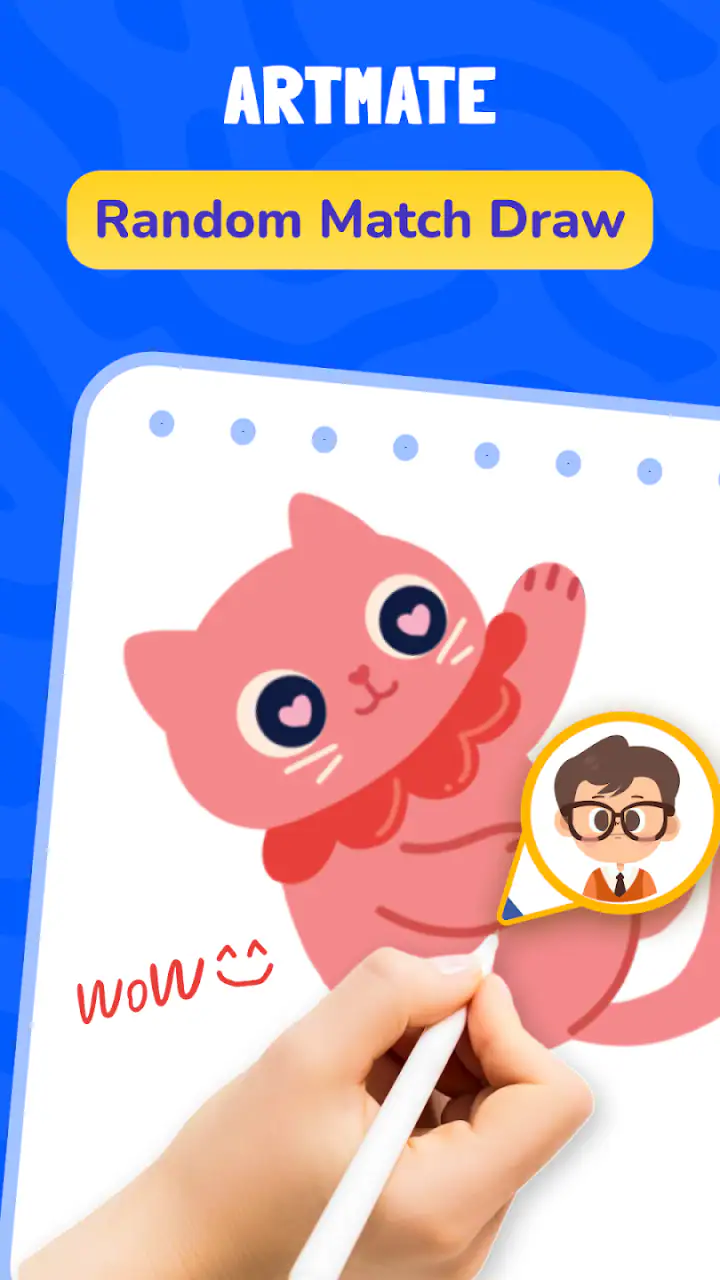
There is a trade-off, though. Social drawing depends on the people involved. If a friend prefers detailed solo work, the collaborative format may feel distracting rather than motivating. The app cannot create a good creative partnership by itself. It works best when everyone agrees that the activity is about participation, not judging who produces the most attractive image.
How I would use it in practice
I would begin with the simplest possible session: invite a friend, choose an easy lesson, and treat the first drawing as a warm-up. That approach avoids turning the app into a test of skill. Instead of trying to produce a perfect result, I would use the lesson to understand the drawing flow and see how naturally the shared activity fits into a conversation.
One useful habit is to decide on a time limit before starting, even if the app itself does not impose one. A short session keeps the activity light and prevents the lesson from becoming an obligation. Afterward, we could compare the different choices we made from the same starting idea. The interesting part would be seeing how two people interpret the same guidance, not measuring which drawing is technically better.
For children or mixed-skill groups, I would let the least experienced person choose the lesson. That keeps the activity accessible and avoids a common problem with creative apps, where the most confident user quietly sets the standard for everyone else. Because the content rating is Everyone, the app is positioned for broad use, although adults should still choose an appropriate, comfortable setting for younger users and supervise shared activities when needed.
Another practical workflow is to use the lessons as prompts rather than instructions. If the exercise suggests a simple object, I would encourage each participant to alter one detail: change the expression, add a background, or invent a different setting. This keeps the session from becoming a repetition exercise and gives the multiplayer feature more room to matter. The lesson starts the drawing, while the group supplies the personality.
A realistic everyday scenario
Imagine two friends waiting for a train or relaxing after dinner. One person wants to draw but does not know where to begin; the other wants something more interactive than scrolling through social media. Artmate can fill that small gap with a shared lesson. They can follow the same starting idea, laugh at the uneven results, and finish with a drawing that records the moment without requiring art supplies or a long commitment.
That scenario is where I think the app makes the most sense. It is not competing with a professional illustration session. It is turning a few spare minutes into a joint activity. The value comes from removing setup friction: there is no need to prepare a complex project, learn a large toolset, or decide on a serious artistic goal before beginning.
It could also work for remote friends who want a low-pressure activity. Drawing together gives a video call or chat something concrete to focus on, and the lesson helps avoid the silence that can come from asking, “What should we do?” I would not choose it for a formal design review or detailed collaborative artwork, but I would choose it for a relaxed creative check-in.
Tips that make the shared drawing more enjoyable
First, agree on the purpose of the session. If one person wants to practice carefully while another wants to joke around, frustration can appear quickly. A simple agreement such as “we are experimenting” or “we are following the lesson closely” gives the activity a shared direction.
Second, rotate control of the subject. Let one participant choose the lesson or decide the next variation, then give someone else that role in the following round. This prevents the most confident artist from dominating the experience and makes the app more welcoming for beginners.
Third, keep a deliberately imperfect first round. Do not spend the opening session trying to discover every control or produce a presentable picture. A quick, low-stakes drawing reveals whether the connection between the participants feels natural and whether the lesson style suits the group. That is a better test than judging the app after one carefully planned masterpiece.
Finally, use the lessons to teach observation rather than merely copying. Ask what shapes make up the subject, where the main lines should go, and which details can be left out. This turns an easy exercise into a small learning routine. It is one of the more valuable ways to get lasting benefit from the app without expecting it to become a complete art course.
Where it fits beside ordinary drawing apps
Compared with a typical sketching app, Artmate places companionship ahead of technical depth. A conventional alternative is usually better when I want layers, detailed editing, precise corrections, or a private workspace for a long project. Those tools reward patience and control. Artmate is better when the main question is, “Can we make something together right now?”
Compared with following a drawing tutorial alone, the multiplayer format adds accountability and conversation. A solo lesson can be more focused, especially for someone who wants to repeat a technique several times. The shared version is more motivating for people who lose interest when practice feels isolated. The choice depends on whether I need concentration or participation on a particular day.
It also sits somewhere between a creative game and an art utility. The game-like side comes from the social energy and the willingness to accept playful results. The art side comes from the lessons and the act of building an image. That middle ground is useful, but it may disappoint users who expect either a deep professional studio or a highly structured competitive game.
The app is free to install, which makes trying the shared concept easy. It includes in-app purchases ranging from $0.99 to $14.99 per item, so I would pay attention to the purchase flow before treating it as a completely cost-free experience. For a casual user, the free starting point may be enough to decide whether the format fits. Someone planning frequent use should consider how those optional purchases affect the overall value.
Limitations I noticed in the concept
The first limitation is that multiplayer drawing is only as enjoyable as the group’s timing and attitude. If a friend is unavailable, the app loses its defining advantage in that moment. A regular solo drawing app is more dependable when I want to practice immediately, regardless of who else is online or interested.
The second is the likely ceiling for advanced artists. Easy lessons are helpful for beginners, but they may feel restrictive to someone who already has a developed process. If I need detailed composition work, controlled color decisions, or a professional production pipeline, I would use a dedicated art application instead. Artmate’s simplicity is part of its charm, but it is also the reason it should not be judged as a full replacement for specialized software.
The third limitation is that shared creativity can become noisy. When multiple people contribute ideas at once, the drawing may lose direction. That is not necessarily a flaw for a playful session, but it can be frustrating if I want a clean result. Setting a subject, assigning turns, and accepting that the final image may be chaotic are practical ways to manage the trade-off.
There is also a learning curve of a different kind. The drawing lessons may be easy to approach, but users still need to learn how the shared activity feels: when to lead, when to wait, and how much feedback to give. That social etiquette is not a technical feature, yet it determines whether the app feels encouraging or uncomfortable. I would introduce it to friends who enjoy experimentation rather than to people who become competitive about artistic ability.
Who will get the most from Artmate
I recommend it most strongly to beginners, casual doodlers, families, and friends looking for a short activity they can share. It is especially suitable for someone who wants a reason to draw but does not want to study a complicated interface first. The lessons provide direction, while the multiplayer focus supplies the motivation that a blank canvas often lacks.
It can also suit teachers, club organizers, or informal creative groups who need a simple activity rather than a complete curriculum. I would use it as an icebreaker or a warm-up, not as the only tool for teaching drawing fundamentals. The app’s value in that setting comes from getting people involved quickly and giving them a common starting point.
Users who should skip it are professional artists seeking a serious production environment, people who prefer completely private practice, and anyone who wants a large set of advanced editing controls. They may be happier with an established digital painting or illustration app. Artmate is not the strongest choice when precision, file management, or long-form project work matters more than shared enjoyment.
The product comes from Braly JSC and currently carries a 4.8 average from around 3.2 thousand ratings, with more than 10 million installs. Those figures suggest that the approachable social concept has found a substantial audience, but popularity should not replace personal fit. I would still decide based on whether I have someone to draw with and whether easy guided activities match my expectations.
On the technical side, the current version is 1.1.34 and it supports devices running Android 7.0 or later. That makes it accessible to many older Android phones, although the quality of any shared drawing session can still depend on the device and connection experience. I would install it on the device I actually plan to use with friends rather than assume that broad operating system support guarantees an identical feel everywhere.
My final take after using the shared approach
Artmate: Drawing Together succeeds because it understands that many people do not need more artistic tools; they need a more inviting reason to use the tools they already have. The multiplayer drawing capability changes the activity from private practice into a small social event, and the easy lessons make joining less intimidating. That combination is more meaningful than either feature would be on its own.
I would recommend it to a friend who wants a relaxed creative pastime, especially if that friend feels uncomfortable starting from a blank page. I would suggest beginning with a short lesson, setting expectations about whether the session is playful or serious, and treating the first result as a shared memory rather than a finished artwork.
My recommendation is more cautious for experienced artists. They may enjoy the social side, but they should keep a dedicated drawing app for detailed work. For everyone else, the free entry point makes it reasonable to try, while the optional purchases deserve attention if use becomes regular. Overall, this is a focused art and design app whose best idea is also its clearest boundary: it is at its strongest when drawing together matters more than drawing perfectly.
FAQs for Artmate: Drawing Together
What is Artmate: Drawing Together?
Artmate: Drawing Together is a collaborative drawing app designed for creating artwork with other people in real time or through shared drawing sessions. It is aimed at friends, families, students, and creative communities who want to sketch, doodle, practice, or simply have fun together. The app typically combines a digital canvas with drawing tools, colors, and sharing features, although the exact options may vary depending on the device and app version.
Can I use Artmate: Drawing Together with friends or other users?
Yes, the main purpose of Artmate is collaborative drawing, so you can generally use it to create artwork with friends or invite other participants to a shared canvas. Before downloading, check how its rooms, invitations, and account system work, since some collaboration features may require an internet connection, a sign-in, or a specific invitation method. Also review privacy settings if you plan to share drawings publicly.
Does Artmate: Drawing Together require an internet connection?
An internet connection is usually needed for the app’s central collaborative features, including joining shared sessions, synchronizing strokes, inviting participants, and saving or sharing artwork online. Some basic drawing functions may work offline, but this can depend on the version installed and the platform you use. If you mainly want a private sketching tool without connectivity, confirm the offline capabilities before installing.
Is Artmate: Drawing Together suitable for children?
Artmate can be enjoyable for children because it encourages creativity and cooperative play, but parents should review the app’s age rating, communication options, advertising, and privacy policy before allowing independent use. If the app supports public rooms, usernames, or interaction with unknown users, parental supervision is especially important. Children should also avoid sharing personal information when participating in collaborative sessions.
Is Artmate: Drawing Together free to download and use?
The app may be available as a free download, but availability of premium tools, advertisements, in-app purchases, or optional subscriptions can differ between Android and iOS versions. Before starting a shared project, check the store listing for current pricing and purchase details. If children use the device, enable purchase restrictions, and remember that internet, cloud storage, or certain export features may have separate limitations.
Pros
- Simple interface makes it easy for beginners to start drawing.
- Collaborative drawing encourages creativity and social interaction.
- Useful tools support quick sketches and casual artwork.
- Sharing drawings with others is convenient and engaging.
- Works well for short
- relaxing creative sessions.
Cons
- Some advanced drawing features may be missing for experienced artists.
- Collaborative sessions depend on a stable internet connection.
- Small screens can make detailed drawing less comfortable.
- Shared artwork may be affected by other users’ changes.
- Privacy options may feel limited for personal or unfinished sketches.


